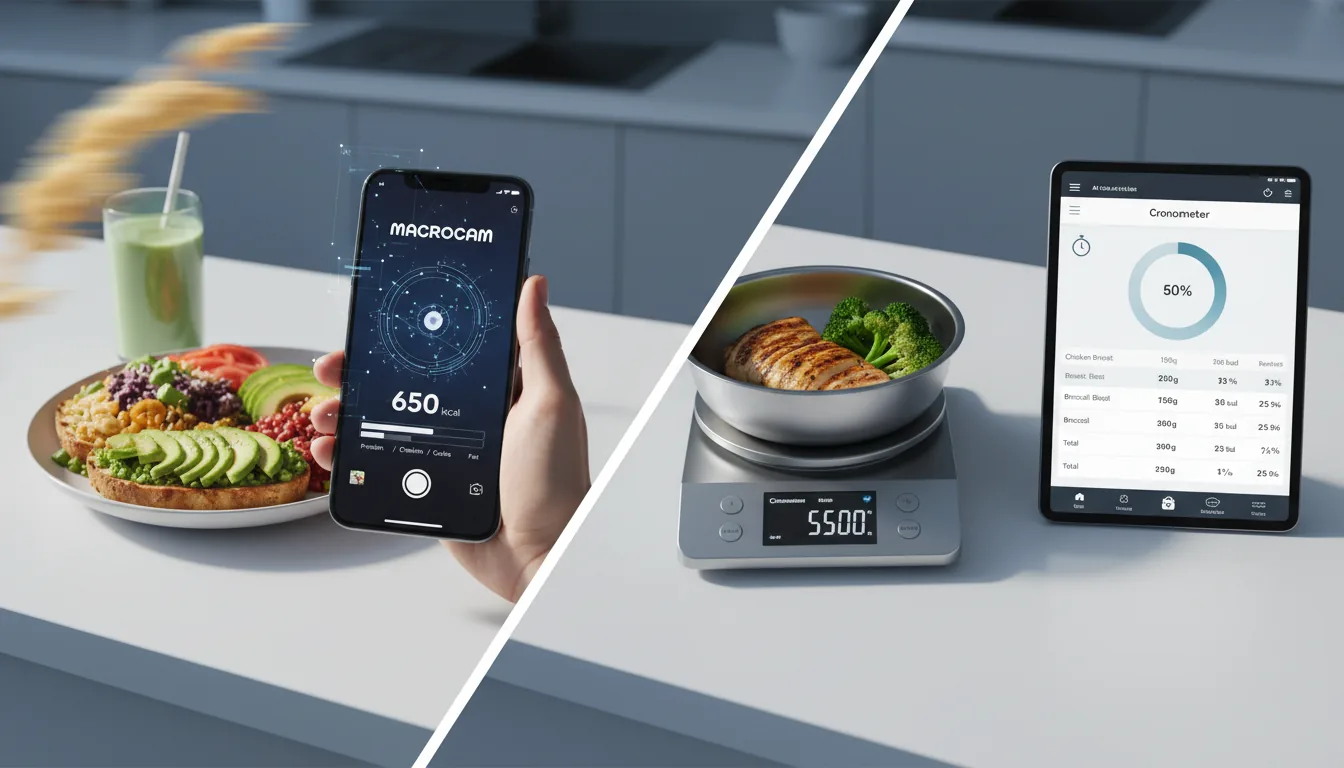
You can track macros without a food scale by using your hand as a portable measuring tool, memorizing a few common serving references, and letting a photo-based AI estimate the rest. None of these methods are perfect to the gram, but they are close enough to hit your protein, carb, and fat goals consistently. The secret is picking one method and using it the same way every day so your small errors stay predictable.
Why you don’t actually need a scale
A food scale is the most accurate way to measure portions, but accuracy and usefulness aren’t the same thing. The best tracking method is the one you’ll still be doing in three months, and for a lot of people that means no weighing, no measuring cups, and no logging every gram of olive oil.
Macro targets already carry built-in slack. Your daily protein, carb, and fat numbers are estimates based on formulas, not lab measurements, so chasing gram-level precision on top of an estimated target adds friction without adding real results. If you know your targets and your portions are roughly right most days, the math works out.
If you don’t know your numbers yet, start there. Use our calorie needs calculator to estimate your daily energy target, then use the estimation methods below to stay consistent without a scale.
Method 1: Use your hand as a portion guide
Your hand is always with you, scales roughly with your body size, and gives surprisingly consistent estimates. It’s the most practical no-equipment system for tracking macros without a food scale.
Here are the standard hand portions to memorize:
- Palm = protein. One palm-sized portion of cooked meat, fish, or tofu is roughly 20–30 grams of protein. Men typically use two palms per meal, women one.
- Fist = vegetables. A fist of non-starchy veggies is about one cup. These are low-calorie, so you don’t need to be precise here.
- Cupped hand = carbs. One cupped handful of rice, pasta, oats, or fruit is roughly 20–30 grams of carbohydrate.
- Thumb = fats. A thumb-sized portion of oil, butter, nut butter, or cheese is roughly 8–12 grams of fat.
Build a plate by counting hands: two palms of protein, two cupped hands of carbs, a couple of fists of veggies, and a thumb or two of fat. That single habit covers most meals without weighing anything.
How to make hand portions more accurate
Your hand portions drift over time, so recalibrate occasionally. Once a month, weigh one familiar food, like a chicken breast or a serving of rice, and compare it to your hand estimate. You’ll quickly learn whether you’ve been under- or over-counting and can adjust.
Method 2: Learn a few common serving references
Everyday objects make great visual anchors because you see them constantly. Memorize five or six and you can eyeball portions anywhere.
| Food type | Looks like | Rough amount |
|---|---|---|
| Cooked meat/fish | Deck of cards | 3 oz / ~85 g |
| Cheese | Two dice | 1 oz / ~28 g |
| Rice or pasta | Tennis ball | ~1 cup cooked |
| Peanut butter | Golf ball | ~2 tbsp |
| Oil or dressing | Poker chip stack | ~1 tbsp |
| Nuts | Small cupped handful | ~1 oz |
Packaged foods make this even easier because the work is already done. Read the label, note the serving size, and count servings instead of weighing. A bar that says 12 grams of protein per serving is 12 grams whether you weigh it or not, so prioritize your scale-free estimating for the loose, unpackaged foods where guessing is harder.
Restaurant meals are the toughest case. Use the deck-of-cards and tennis-ball references for the protein and starch, assume the kitchen added more oil and butter than you would at home, and round your fat estimate up. Slightly over-estimating restaurant fat is usually closer to the truth than under-estimating it.
Method 3: Photo-based AI estimation
The fastest way to track macros without a food scale is to take a picture of your plate and let an app do the estimating. Photo-based AI tools look at a meal and return calories, protein, carbs, and fat in a few seconds, which removes the two biggest reasons people quit tracking: math and time.
MacroCam is an iPhone app built around this exact workflow. You snap a photo of your meal and it estimates calories, protein, carbs, and fat, so you can log a plate without weighing or searching a database. The free tier gives you up to three AI photo scans per day with no credit card, which is enough to cover your main meals while you get used to the habit.
Photo estimation isn’t magic, and no AI can see the tablespoon of oil already cooked into a stir-fry. That’s why the best results come from combining methods: let the AI handle the heavy lifting on a normal plate, then sanity-check it with your hand portions when a meal is unusually oily, saucy, or calorie-dense. If you want a deeper look at where these tools are strong and where they struggle, read our evidence-based AI calorie tracking guide.
To get the most accurate photo estimates:
- Shoot from a slight angle, not straight down, so the AI can judge food height and volume.
- Get good light and avoid shadows that hide parts of the plate.
- Separate foods when you can, so mixed items don’t blur together.
- Add a size cue by keeping a fork, hand, or standard plate in frame.
Method 4: Consistency beats precision
Here’s the part most people miss: if you estimate the same way every day, your errors become a steady background hum instead of random noise. Consistent estimation is what makes scale-free tracking actually work.
Say your cupped-hand portion of rice is really 35 grams of carbs but you log it as 30. You’re off by 5 grams, but you’re off by the same 5 grams every single day. When you review your week and adjust your intake based on results, that consistent gap gets corrected automatically. Random errors don’t behave that way.
A few habits that keep your estimates consistent:
- Use the same plates and bowls so your visual references stay calibrated.
- Log immediately, before you forget the extra handful of chips or the second drizzle of dressing.
- Don’t skip the “small” stuff. Oils, sauces, dressings, and drinks are where untracked calories pile up fastest.
- Judge by the trend, not the day. Weigh yourself a few times a week and look at the weekly average. If the scale and your goal disagree after two weeks, adjust portions, not your faith in the method.
Putting it together: a simple no-scale routine
You don’t need every method at once. A workable system looks like this:
- Estimate your daily energy target with the calorie needs calculator.
- Snap a photo of each main meal for a quick AI estimate.
- Use hand portions to fill gaps and sanity-check oily or hidden-calorie foods.
- Lean on serving references when you’re eating out or away from your phone.
- Review your weekly average and nudge portions up or down as needed.
That routine takes seconds per meal, costs nothing to start, and gets you 90 percent of the benefit of weighing with a fraction of the effort.
Frequently asked questions
Can you really track macros accurately without a food scale?
Yes, accurately enough to reach your goals. Hand portions, serving references, and photo-based AI typically land within a reasonable range of a weighed measurement, and because your daily macro targets are themselves estimates, that range is usually close enough. Consistency matters more than gram-level precision: estimate the same way every day and adjust based on your weekly results.
What are the standard hand portion sizes for macros?
A palm of protein is about 20–30 grams of protein, a cupped hand of carbs is about 20–30 grams of carbohydrate, a thumb of fat is about 8–12 grams of fat, and a fist of vegetables is about one cup. Most people build a meal from one to two palms of protein, one to two cupped hands of carbs, a thumb or two of fat, and a fist or more of veggies.
How accurate is AI photo calorie tracking compared to weighing?
AI photo tools are good at identifying foods and estimating typical portions, but they can’t see hidden ingredients like oil cooked into a dish, so individual meals may be off. Accuracy improves with clear, well-lit photos taken at a slight angle with a size cue in frame. Treat the estimate as a strong starting point and sanity-check unusually oily or calorie-dense meals.
Is MacroCam free, and what does it do?
MacroCam is an iPhone app that estimates calories, protein, carbs, and fat from a photo of your meal. The free tier includes up to three AI photo scans per day with no credit card required. Paid plans are $4.99 per month, $29.99 per year, or a one-time $79.99 lifetime option for unlimited scans.
Do I need to track every condiment and oil?
You should track the calorie-dense ones. Oils, butter, nut butters, dressings, and sauces add up fast, so estimate them with the thumb or poker-chip references rather than ignoring them. Tiny additions like mustard, hot sauce, vinegar, or zero-calorie drinks are small enough to skip without affecting your results.