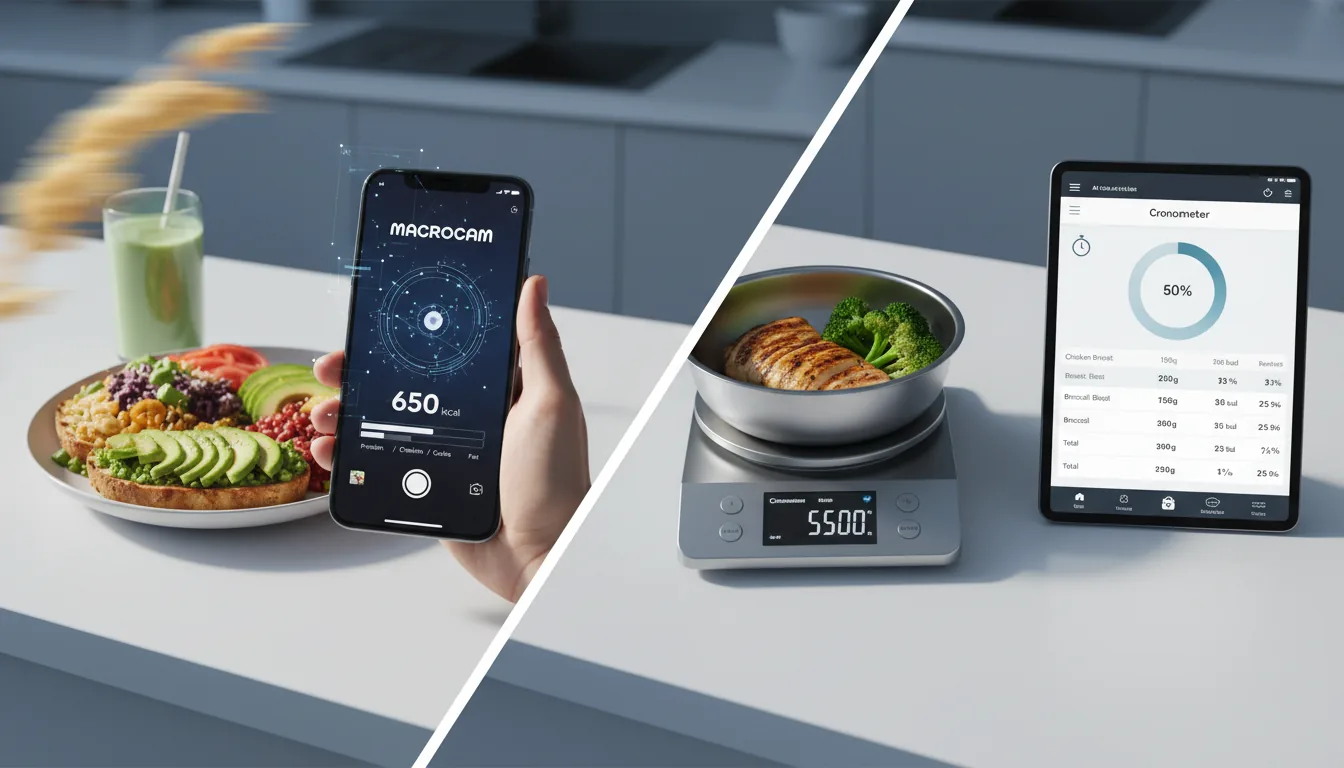
If you want a MyFitnessPal alternative photo tracking app, the short answer is that photo-first AI tools like MacroCam and Cal AI let you snap a meal instead of searching a database, which removes most of the manual logging friction. MyFitnessPal is still a strong, accurate tracker, but its best features now sit behind a subscription and its core flow remains search-and-type. Below is a fair comparison so you can pick the right fit for how you actually eat and log.
Why people look for MyFitnessPal alternatives in 2026
MyFitnessPal is one of the most established calorie counters, with a massive food database and years of refinement. It still works well. But two patterns push people to look elsewhere.
The first is paywalled features. Over the past few years, capabilities that long-time users remember as free, such as barcode scanning and certain macro and goal customizations, moved into the Premium tier. If you only want to count calories casually, paying a recurring subscription for features you used to have can feel like a downgrade.
The second is manual logging fatigue. The classic MyFitnessPal flow is search, scroll, pick the right database entry, confirm the portion, and repeat for every component of a meal. That is precise, but it is also a lot of taps several times a day. People who fall off tracking usually do so because the input takes too long, not because they stopped caring about their goals.
Photo-first apps target exactly that friction. Instead of typing “grilled chicken breast, 6 oz” and hunting for the correct entry, you take one picture and get an estimate you can adjust.
How photo-first AI tracking actually works
A photo-first tracker uses computer vision and AI to look at your meal photo and estimate the foods, portions, and nutrition. You snap the plate, the app returns calories plus protein, carbs, and fat, and you correct anything that looks off.
It is important to be clear-eyed about the trade-off. A photo estimate is fast but approximate; a database entry with a weighed portion is slower but more exact. For most people chasing consistency rather than lab-grade precision, “good enough every day” beats “perfect three days a week.” We cover that trade-off in more depth in our guide to evidence-based AI calorie tracking.
The main photo tracking alternatives compared
Here is a fair look at the leading options for someone leaving, or supplementing, MyFitnessPal.
| Tool | Platforms | Primary flow | Pricing model |
|---|---|---|---|
| MyFitnessPal | iOS, Android, web | Search-first database logging | Free tier plus Premium subscription |
| MacroCam | iPhone only (iOS) | Photo-first AI estimate, then edit | Free tier, subscription, or lifetime |
| Cal AI | iOS and Android | Photo-first AI estimate | Subscription only |
MyFitnessPal
Best if you want the deepest food database and cross-platform access. MyFitnessPal shines when you log packaged foods, restaurant chains, and recipes you eat repeatedly, and it works on iPhone, Android, and the web. The cost is the manual workflow and the fact that several conveniences now require Premium.
Cal AI
Cal AI is a popular photo-first AI tracker available on both iOS and Android. It is subscription-only, with annual pricing that has ranged roughly from $29.99 to $49.99 per year depending on A/B-tested offers. Notably, MyFitnessPal acquired Cal AI in March 2026, so the line between “the incumbent” and “the AI challenger” is blurrier than it used to be. If you need Android and want a photo-first flow, Cal AI is the obvious candidate. See more options in our calorie tracker alternatives guide.
MacroCam
MacroCam is an AI calorie tracker built specifically for iPhone. You snap a photo of a meal and it estimates calories, protein, carbs, and fat, then lets you edit the result. It is iOS only, so it is not an option if you carry an Android phone, but on iPhone it is fast and native.
Two things set MacroCam apart for the alternative-seeker:
- A genuinely usable free tier. You get up to 3 AI photo scans per day with no credit card required, which is enough to test it against your real meals before paying anything.
- A lifetime pricing option. Beyond $4.99/month and $29.99/year, MacroCam offers a one-time $79.99 lifetime plan. If recurring subscriptions are part of why you are leaving MyFitnessPal, paying once and being done is a meaningfully different deal.
MacroCam holds a 4.8-star rating from roughly 1,200 reviews. For a fuller side-by-side, see MacroCam vs MyFitnessPal.
How to choose the right alternative
Match the tool to the reason you are switching.
- You log mostly packaged foods and recipes. Stay with MyFitnessPal or keep it as a secondary app. Barcode and database logging is its strength.
- You fall off because logging takes too long. Go photo-first. The single-photo flow is built to remove that friction.
- You use an Android phone. Your photo-first choice is Cal AI, since MacroCam is iPhone only.
- You are on iPhone and dislike subscriptions. MacroCam’s free tier and one-time lifetime plan are the closest thing to “own it and forget it.”
- You want to test before committing. Start with the free option. MacroCam’s 3 scans per day, no card required, makes that easy.
If you want the full menu of options laid out, our calorie tracker alternatives hub collects the comparisons in one place.
Setting up a photo tracker on iPhone
A few practical tips make any AI photo tracker more accurate from day one.
- Shoot from a slight angle, not straight down. A three-quarter view gives the AI more depth information to estimate portions.
- Get the whole plate in frame with decent lighting. Shadows and cropped edges hurt estimates.
- Edit the result instead of trusting it blindly. Treat the AI number as a fast first draft and nudge portions when you know better.
- Let the app personalize your targets. With permission, MacroCam can use selected Apple Health profile data to pre-fill onboarding and tailor calorie and macro goals. Optional syncing remains controlled by the permissions you grant.
If you want to track activity alongside food, you will still rely on Apple’s own Health app or your watch for steps and workouts, since a photo calorie tracker focuses on the food side.
A fair word about staying with MyFitnessPal
You do not have to switch. If your routine already works, MyFitnessPal’s accuracy and ecosystem are hard to beat, and its free tier still covers basic calorie counting. Many people even run two apps: a photo-first tool for speed on busy days and MyFitnessPal for precise logging of repeat meals. The goal is consistency, not loyalty to one icon on your home screen.
If speed is your bottleneck, though, a photo-first app usually wins on the metric that matters most: how many days you actually log. You can try MacroCam free on the App Store and see whether snapping a photo keeps you tracking longer than searching a database does. Download MacroCam on the App Store.
Frequently asked questions
What is the best MyFitnessPal alternative for photo tracking?
The best MyFitnessPal alternative for photo tracking depends on your phone. On iPhone, MacroCam is a strong fit because it has a free tier (3 AI scans per day, no card) and a one-time lifetime plan. If you use Android, Cal AI is the main photo-first option, since MacroCam is iOS only.
Is there a free alternative to MyFitnessPal?
Yes. MyFitnessPal itself keeps a free tier, and MacroCam offers up to 3 AI photo scans per day for free with no credit card required. That free allowance is usually enough to test a photo-first workflow against your real meals before deciding whether to upgrade.
How accurate is AI photo calorie tracking compared to MyFitnessPal?
A database entry with a weighed portion, the MyFitnessPal approach, is generally more precise than an AI photo estimate. Photo tracking trades a little accuracy for speed: you get a fast estimate from one picture, then edit it. For most people, the consistency gain from faster logging outweighs the small accuracy difference.
Did MyFitnessPal buy an AI calorie app?
Yes. MyFitnessPal acquired Cal AI, a photo-first AI calorie tracker, in March 2026. Cal AI remains available on both iOS and Android as a subscription-only app, with annual pricing that has been A/B tested in roughly the $29.99 to $49.99 range.
Does MacroCam work on Android?
No. MacroCam is built for iPhone and is available only on iOS. If you use an Android device and want photo-first tracking, Cal AI is the alternative to look at; if you are on iPhone, MacroCam is available on the App Store.