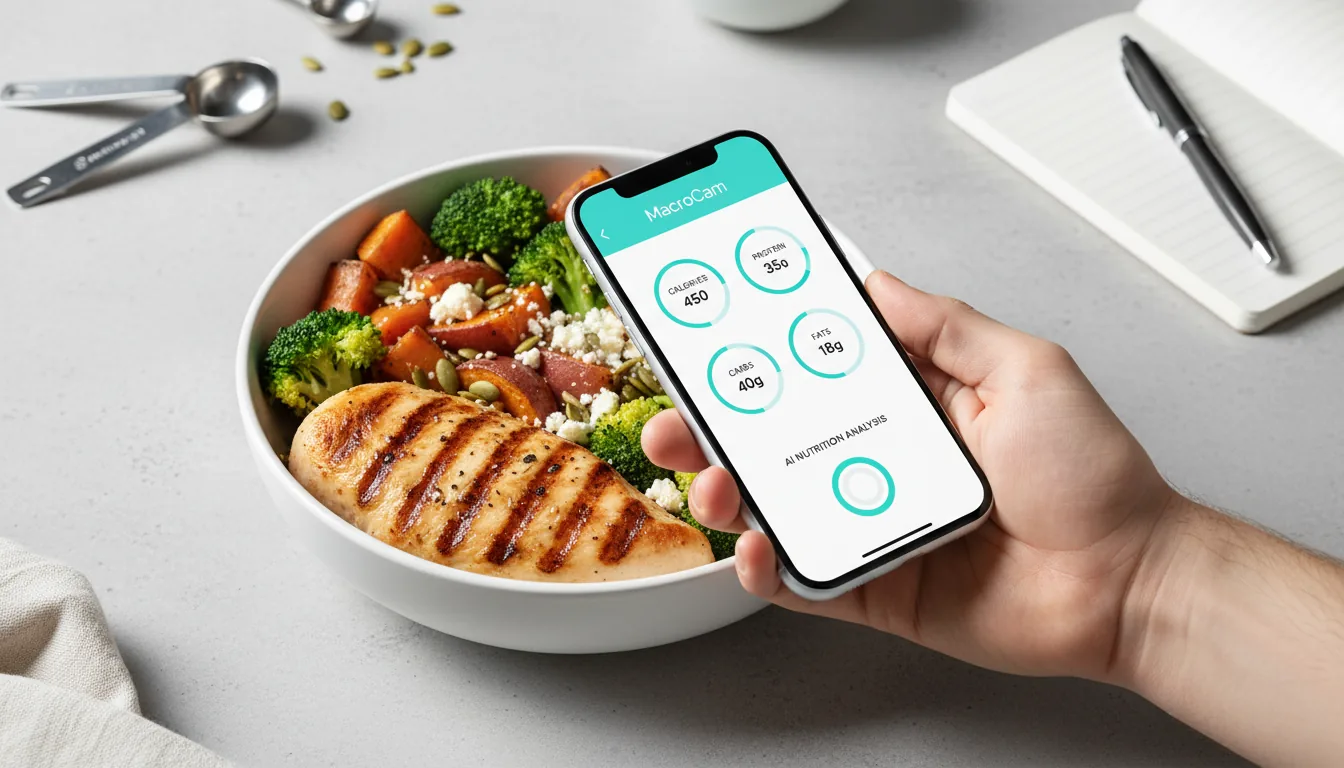
The best AI calorie tracker in 2026 is the one that matches your phone, your budget, and how much manual tweaking you’ll tolerate. For most iPhone users who want a genuinely free way to start, MacroCam is the easiest on-ramp; for people who need both iOS and Android in one ecosystem, Cal AI (now part of MyFitnessPal) is the obvious pick. Below is an honest breakdown of how the leading photo-based apps actually compare.
AI photo logging has matured fast. Instead of searching a database for “grilled chicken, 4 oz,” you snap a picture and the app estimates calories and macros in seconds. The trade-off is that no camera can see oil, hidden sugar, or exact portion weight, so the real question isn’t “which app is perfect” but “which app gets you close enough to stay consistent.”
What to look for in an AI calorie tracker
Before comparing specific apps, line them up against the four things that actually determine whether you’ll stick with one.
- Realistic accuracy expectations. A photo estimate is a smart starting point, not a lab measurement. The best apps make it fast to correct a portion or swap an ingredient. We dig deeper into this in our evidence-based AI calorie tracking guide.
- Pricing model. Some apps are subscription-only; others offer a real free tier or a one-time purchase. Match the model to how long you plan to track.
- Platform. iOS-only apps tend to integrate tightly with Apple Health. Cross-platform apps trade some polish for Android support.
- Free tier vs. free trial. A “free trial” expires and bills you. A genuine free tier lets you use the app indefinitely within limits. That distinction matters if you just want to log a few meals a day.
Keep those four lenses in mind and most marketing claims sort themselves out quickly.
How accurate is AI photo calorie tracking, really?
Honest answer: good enough to be useful, not precise enough to obsess over. AI vision models can usually identify the main components of a plate and produce a sensible calorie and macro estimate, especially for distinct, separated foods like a chicken breast, rice, and broccoli.
Where every app struggles is the same: mixed dishes (stews, casseroles, smoothies), cooking oils and dressings you can’t see, and portion size from a single 2D angle. The fix is universal across apps. Confirm the portion, add anything hidden, and let consistency do the heavy lifting. Tracking the same way every day matters more than chasing a perfect number on any single meal.
The best AI calorie trackers in 2026
MacroCam — best free start for iPhone
MacroCam is an AI calorie tracker built specifically for iPhone. You snap a photo of a meal and it estimates calories, protein, carbs, and fat, then logs it to your day. There’s no Android version, so it’s iOS-only by design.
What sets it apart for newcomers is a real free tier: up to three AI photo scans per day with no credit card required. That’s enough for many people to log their main meals without ever paying. If you want unlimited scans, pricing is straightforward at $4.99/month, $29.99/year, or a one-time $79.99 lifetime plan, which is unusual in a category dominated by recurring subscriptions.
It holds a 4.8-star rating from roughly 1,200 reviews on the App Store. With permission, MacroCam can use selected Apple Health profile data to pre-fill onboarding and personalize calorie and macro targets. Optional syncing remains controlled by the permissions you grant.
If you’re on iPhone and want to try AI logging without a trial countdown, you can download MacroCam on the App Store and start with the free scans today.
Cal AI — best for cross-platform households
Cal AI is one of the most recognized names in the category and works on both iOS and Android, which makes it the default choice if you and your household aren’t all on iPhone. It’s a subscription-only app, typically priced around $29.99 to $49.99 per year, with pricing that’s been A/B-tested, so the exact number you see may vary.
In March 2026, Cal AI was acquired by MyFitnessPal, which signals deeper integration with one of the largest nutrition databases over time. If you already live in the MyFitnessPal ecosystem or you specifically need Android support, Cal AI is the strongest fit. The trade-off is that there’s no lifetime option and no equivalent indefinite free tier, so you’re committing to a recurring plan after any trial.
For more photo-tracking comparisons, see our calorie tracker alternatives guide.
Established trackers adding AI (MyFitnessPal, Lose It!, others)
The big legacy apps have bolted photo and AI features onto mature databases. Their advantage is breadth: enormous food libraries, barcode scanning, and years of recipe data. Their disadvantage is that the AI photo experience often feels secondary to a search-first workflow, and free tiers have narrowed over the years as features moved behind paywalls.
These are worth considering if you want a deep food database and don’t mind some manual logging alongside the camera. If your priority is a fast, camera-first flow, a purpose-built AI app usually feels smoother.
Quick comparison
| App | Platform | Pricing | Free tier | Standout |
|---|---|---|---|---|
| MacroCam | iOS only | $4.99/mo, $29.99/yr, $79.99 lifetime | 3 scans/day, no card | Lifetime option + real free tier |
| Cal AI | iOS + Android | ~$29.99–$49.99/yr (A/B tested) | Trial-based | Cross-platform, MyFitnessPal-backed |
| Legacy apps | iOS + Android | Varies | Limited | Large food databases |
How to choose the right one for you
Pick based on your constraints, not hype.
- You’re on iPhone and want to try before you pay. Start with MacroCam’s free 3-scans-per-day tier. If you log mostly main meals, you may never need to upgrade.
- You want to avoid subscriptions entirely. A one-time lifetime plan (like MacroCam’s $79.99) can be cheaper over a couple of years than an annual subscription.
- You or your family use Android. Cal AI is the practical choice for cross-platform tracking.
- You want the deepest food database. A legacy app with AI add-ons may suit you, accepting a more search-heavy flow.
Still weighing options? Our roundup of MacroCam alternatives lays out who each app is genuinely best for.
Frequently asked questions
What is the best AI calorie tracker in 2026?
There’s no single winner for everyone. For iPhone users who want a genuine free tier and a no-subscription lifetime option, MacroCam is a strong pick. For people who need both iOS and Android, Cal AI (acquired by MyFitnessPal in March 2026) is the better fit. Choose based on platform, pricing model, and whether you want a real free tier.
Are AI photo calorie trackers accurate?
They’re accurate enough to guide consistent tracking, but not lab-precise. AI vision handles distinct, separated foods well and struggles with mixed dishes, hidden oils, and portion sizing from one photo. Treat each estimate as a fast starting point, confirm the portion, and add anything the camera can’t see.
Does MacroCam work on Android?
No. MacroCam is iOS only and built specifically for iPhone. If you need Android support, Cal AI works on both iOS and Android. You can find MacroCam on the App Store at https://apps.apple.com/app/id6759209515.
Is there a free AI calorie tracker?
Yes. MacroCam offers a free tier of up to three AI photo scans per day with no credit card required, which is enough for many people to log their main meals. Many competitors offer time-limited free trials rather than an ongoing free tier, so read the fine print before installing.
How does MacroCam use Apple Health?
With permission, MacroCam can use selected Apple Health profile data to pre-fill onboarding and personalize calorie and macro targets. You can review or revoke access in the Health app.