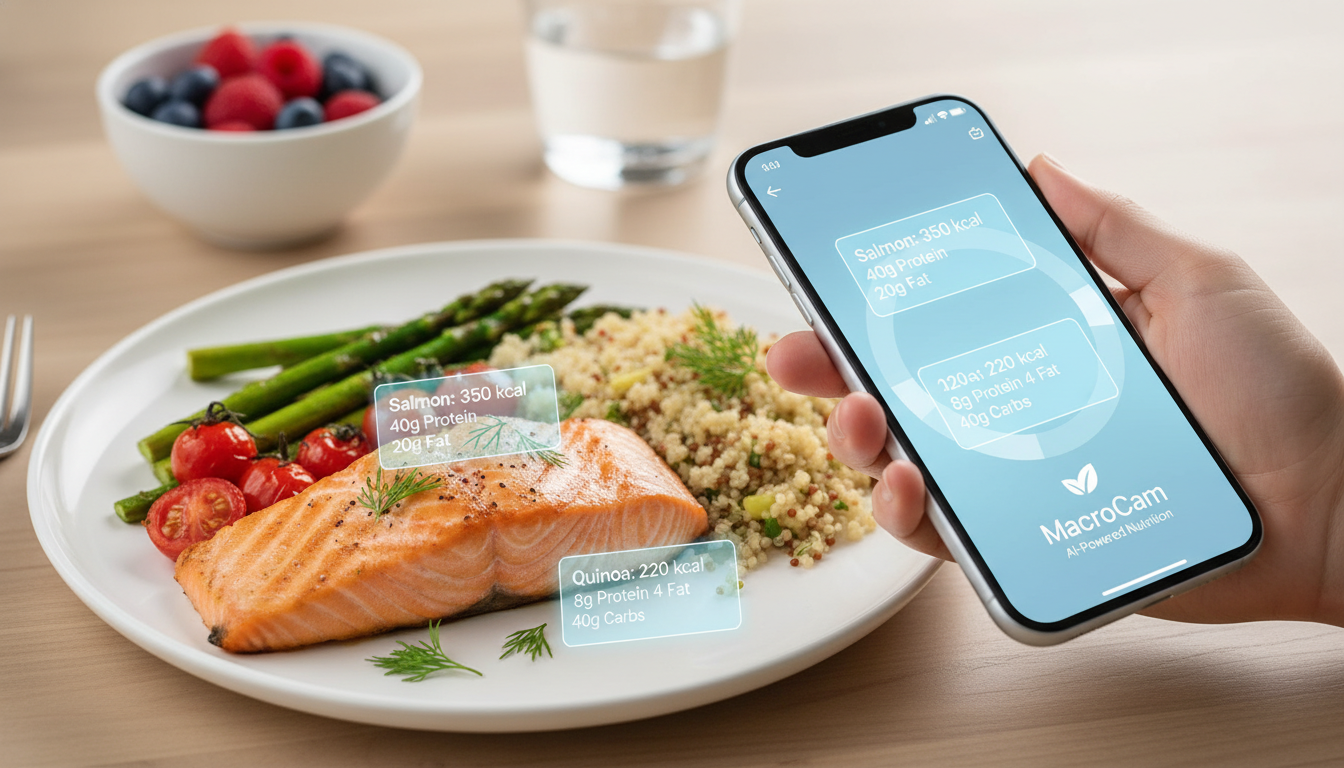
Tracking your meals can simplify the journey toward your health and fitness goals, and using a meal logging app like MacroCam makes this process efficient and engaging. With just a snap of your food, MacroCam provides an instant breakdown of calories and macronutrients, powered by advanced AI technology. This innovative tool not only saves time but also enhances your awareness of what you eat, allowing you to focus on achieving your health objectives.
Table of Contents
- The Importance of Meal Logging
- How MacroCam Works
- Benefits of Using MacroCam
- Practical Tips for Effective Meal Logging
- Real-Life Applications
- FAQ
- Conclusion and Download CTA
The Importance of Meal Logging
Meal logging is a crucial component for anyone looking to improve their dietary habits. A consistent record of what you eat helps you identify patterns in your nutrition and make informed choices. Research suggests that maintaining a routine with similar meals can aid in weight loss (AOL.com, 2026). This emphasizes that meal logging goes beyond just calorie counting; it helps you establish a sustainable eating pattern.
Why Track Your Meals?
- Accountability: Keeping a log holds you accountable for your dietary choices.
- Awareness: It enhances your understanding of portion sizes and food selections.
- Goal Setting: Aligns your daily intake with health and fitness objectives.
- Nutritional Insights: Provides insights into macro distribution and potential nutrient deficiencies.
How MacroCam Works
Using MacroCam is straightforward and intuitive. Here’s a quick overview of its functionality:
- Snap a Photo: Capture an image of your meal.
- Instant Analysis: The app uses AI to analyze the photo, delivering a breakdown of calories and macronutrients.
- Track Progress: Save your meals and monitor your daily intake over time.
Key Features
| Feature | Description |
|---|---|
| AI-Powered Analysis | Advanced algorithms for accurate food assessment. |
| User-Friendly Interface | Intuitive design for seamless navigation. |
| Customizable Goals | Set personalized nutrition objectives based on your lifestyle. |
| Historical Data | Access your meal history to observe trends and make adjustments. |
Benefits of Using MacroCam
Choosing MacroCam as your meal logging app comes with a variety of advantages:
- Time-Saving: Eliminate tedious food entry; just take a photo.
- Accuracy: Reduces human error in calorie estimation.
- Motivation: Immediate feedback encourages healthier choices.
- Versatility: Suitable for various dietary plans, whether you’re focused on carbs, proteins, or fats.
User Testimonials
Users have praised MacroCam for its ease of use and effectiveness:
- “I lost 10 pounds in just a month using MacroCam. The instant breakdowns keep me on track!” - Sarah, 28
- “Logging meals is so easy. With one click, I know exactly what I’m eating.” - Mark, 35
Practical Tips for Effective Meal Logging
To maximize your experience with MacroCam, consider these actionable tips:
- Be Consistent: Log every meal, including snacks, to build a complete picture of your dietary habits.
- Use the Photo Feature: Capture meals visually; this helps keep portion sizes in check.
- Review Trends: Regularly analyze your logs to spot patterns or areas needing improvement.
- Set Realistic Goals: Tailor your nutrition objectives based on your lifestyle and activity levels.
Meal Logging Checklist
- Snap a photo of each meal.
- Review the macro breakdown.
- Adjust daily goals as necessary.
- Reflect on choices weekly.
Real-Life Applications
Using MacroCam can significantly enhance your meal logging strategies in various scenarios:
For Weight Loss
If weight loss is your goal, consider sticking to a few similar meals daily. Research shows that repetitive meals can simplify calorie control, making it easier to stay on track. MacroCam helps by allowing you to log these meals effortlessly.
For Muscle Gain
For those looking to build muscle, tracking protein intake is key. MacroCam enables you to ensure you’re meeting your protein targets with ease. A quick snap provides tailored insights for adjusting meals to support muscle growth.
For Health Maintenance
Whether you’re managing a health condition or seeking a balanced diet, MacroCam assists in tracking your nutrient intake, ensuring you meet your dietary needs effectively.
FAQ
How accurate is the calorie count from MacroCam?
MacroCam employs advanced AI to analyze food images, offering a reliable estimate of calories and macros. However, accuracy may vary based on meal complexity and how well food items are represented in the photo.
Can I track specific diets with MacroCam?
Absolutely! MacroCam accommodates various diets, including keto, paleo, and vegan. You can set personalized goals tailored to your specific dietary requirements.
What if I eat out frequently?
You can still utilize MacroCam when dining out. Many restaurants provide nutritional information, and you can estimate portion sizes based on meal photos.
Conclusion and Download CTA
Incorporating a meal logging app like MacroCam into your health journey can significantly enhance your nutrition management. The AI-driven technology simplifies the process, allowing you to focus on meeting your health and fitness goals effectively.
Ready to elevate your meal logging experience? Download MacroCam today and start snapping your way to better nutrition! Get it on the App Store.