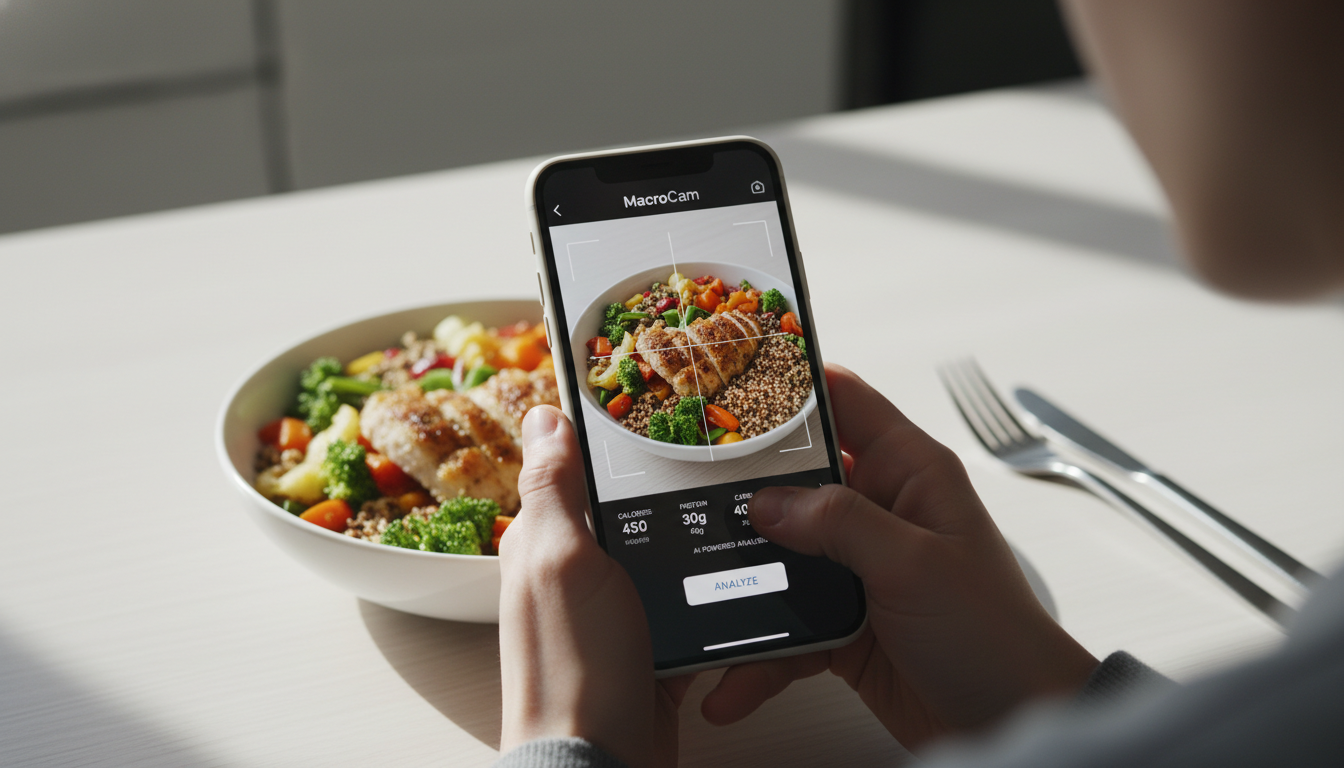
Tracking your calorie intake can often feel overwhelming, but with an AI calorie tracker like MacroCam, it becomes a seamless experience. Just snap a photo of your meal, and you’ll receive an instant breakdown of calories and macronutrients. This innovative approach not only saves time but also enhances the accuracy of your dietary monitoring.
Table of Contents
- What is an AI Calorie Tracker?
- How MacroCam Works
- 2.1 Key Features
- 2.2 User Experience
- Benefits of Using an AI Calorie Tracker
- Practical Tips for Effective Calorie Tracking
- Common Questions About MacroCam
- Conclusion and Download Link
What is an AI Calorie Tracker?
An AI calorie tracker is a digital tool that leverages artificial intelligence to analyze food items and provide nutritional information efficiently. You no longer need to manually log your meals; simply take a photo, and the AI interprets the visual data to deliver quick and accurate nutritional values.
Research indicates that the market for AI-powered food tracking applications is growing rapidly. According to a report by Trend Hunter, users prefer these tools for their ease of use and the efficiency they bring to dietary management. With the rise of these applications, keeping track of your nutritional intake has never been easier.
How MacroCam Works
Key Features
MacroCam stands out with its user-friendly design and powerful features, making calorie tracking straightforward and enjoyable. Here are some of its key components:
- Image Recognition: The app uses advanced technology to identify various food items, streamlining the tracking process.
- Instant Feedback: After taking a photo, you receive immediate calorie and macro breakdowns, allowing you to make informed choices on the spot.
- Nutritional Database: MacroCam connects to a vast database of foods, ensuring comprehensive tracking and accuracy.
- User-Friendly Interface: The intuitive design allows for easy navigation, making the app accessible to everyone.
User Experience
Getting started with MacroCam is simple. Here’s a quick guide on how to use it after downloading from the App Store:
- Open the App: Launch MacroCam on your device.
- Select the Camera Feature: Tap on the camera icon to start taking pictures.
- Take a Photo: Capture a clear image of your meal.
- Review Nutritional Breakdown: Instantly view the nutritional information provided by the AI.
- Log Your Meal: Save the details for ongoing tracking in your food diary.
This process allows you to stay informed about your nutrition without the tediousness of manual entries.
Benefits of Using an AI Calorie Tracker
Incorporating an AI calorie tracker like MacroCam into your daily routine offers several advantages:
- Time Efficiency: Capture and analyze meals quickly without extensive logging.
- Increased Accuracy: AI technology minimizes human error in calorie counting.
- Enhanced Awareness: Visualizing your meals helps improve understanding of portion sizes and nutritional balance.
- Personalization: Receive tailored insights based on your dietary goals, empowering you to make informed choices.
Practical Tips for Effective Calorie Tracking
To maximize your experience with MacroCam, consider these actionable tips:
- Use Good Lighting: Ensure your meals are well-lit when taking pictures. Proper lighting improves the accuracy of the AI’s recognition.
- Capture Multiple Angles: For complex meals, consider taking photos from different angles to help the app identify all components.
- Regular Updates: Keep MacroCam updated to benefit from the latest features and expansions in its food database.
- Combine with Other Health Tools: Pair MacroCam with fitness trackers to gain a holistic view of your health journey.
- Review Your Logs: Regularly check your food diary to identify patterns and adjust your eating habits accordingly.
Nutritional Breakdown Table
| Food Item | Calories | Protein (g) | Carbs (g) | Fats (g) |
|---|---|---|---|---|
| Grilled Chicken | 300 | 30 | 0 | 15 |
| Brown Rice | 215 | 5 | 45 | 2 |
| Steamed Broccoli | 55 | 4 | 11 | 0.5 |
| Olive Oil (1 tbsp) | 120 | 0 | 0 | 14 |
Common Questions About MacroCam
How accurate is MacroCam in calorie tracking?
MacroCam employs sophisticated AI algorithms to provide accurate nutritional estimates. However, the accuracy can vary depending on the quality and clarity of the photo taken.
Can I track my meals without internet access?
Yes, MacroCam allows for offline tracking. You can capture images even without an internet connection and sync your data once you’re back online.
Is MacroCam suitable for specific diets?
Definitely! MacroCam is versatile and can accommodate various dietary preferences, including keto, vegan, and gluten-free diets.
What should I do if the app miscalculates my food?
If you notice discrepancies, you can manually adjust the nutritional values within the app, ensuring your logs remain accurate.
Conclusion and Download Link
AI calorie trackers like MacroCam are revolutionizing how we monitor our nutrition. By using this innovative technology, you can obtain valuable insights into your dietary habits with minimal effort. If you’re ready to enhance your health journey and simplify calorie tracking, consider giving MacroCam a try.
Ready to take control of your calorie tracking? Download MacroCam today from the App Store.